
User Stories Tool

Have AI write your user stories from a list of tasks.
Just copy/paste completed issues and let AI write your first draft in seconds.

Step 1
Copy issue titles from your project management tool

Step 2
Paste and submit πŸ‘‡

ξ “
Thank you!
Look out for an email from our team soon.
Oops! Something went wrong.
User STory

Write your user stories in seconds

The hardest part of writing user stories is the blank page. What's the format again? What is our acceptance criteria? Have I thought of everything?

Our free user story tool gives you a massive head start on this whole process. It will draft each user story complete with the β€œAs a [persona], I [want to], [so that]" structure and related acceptance criteria.

Save time and have AI write your next user stories, totally free.
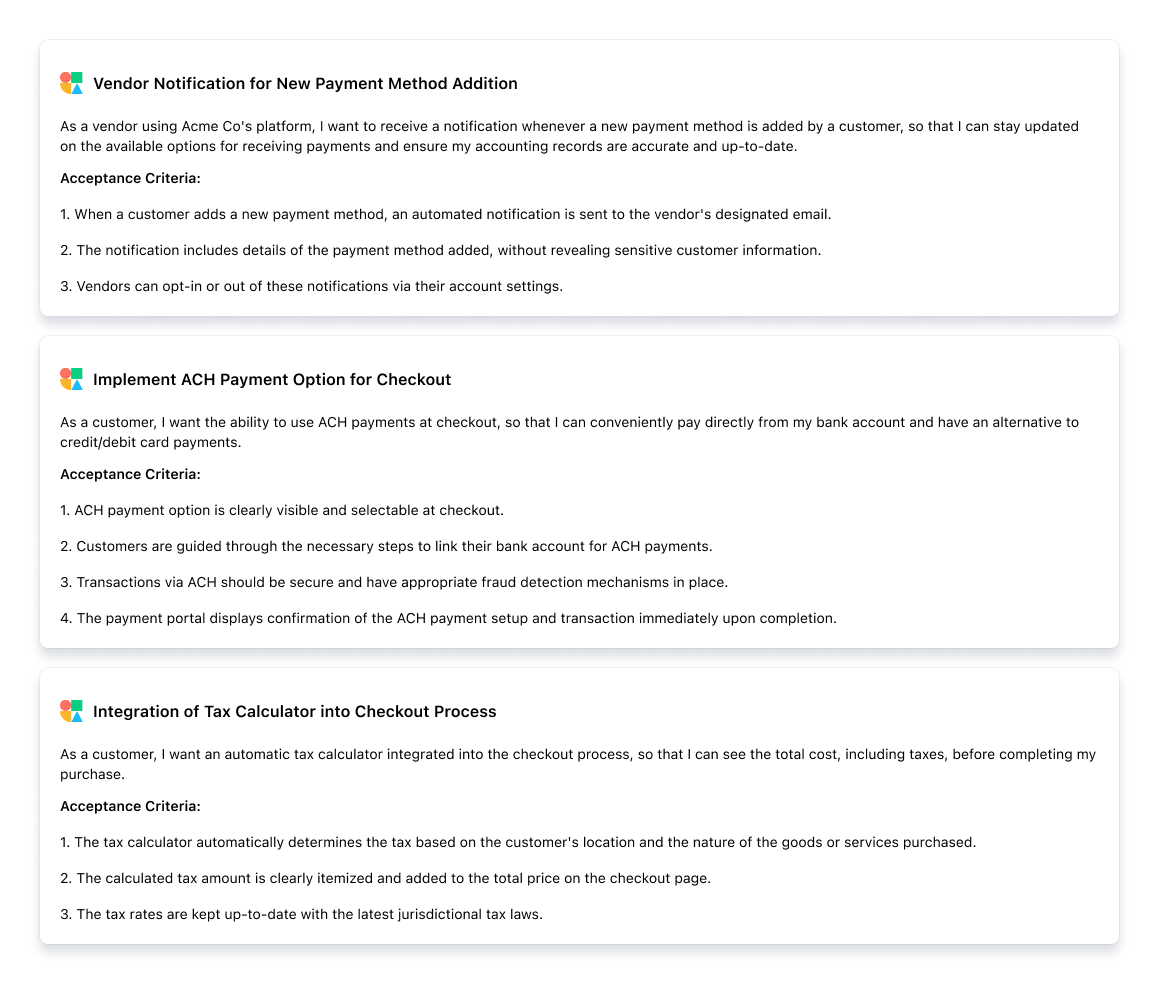
CustomerIQ User Stories
FAq

Learn more

How do I copy issue titles from Linear?

When viewing your issues/backlog in the table layout, check the box on all issues you'd like to create user stories for (max 5 at a time).

Then press Command + Shift + ' (copy issue titles)

Paste these issue titles into the form above.

ξ ‘

Why are user stories important?

User stories provide a simple, focused, and customer-centric way to define software features or product requirements. By framing requirements from the user's perspective, they help ensure that the development team is always centered on delivering real value to the end-user. This approach facilitates better understanding and communication among stakeholders, encourages collaboration, and helps in prioritizing features based on user needs.

ξ ‘

What are user stories?

User stories are a tool used in Agile software development to capture a description of a software feature from an end-user perspective. They are short, simple descriptions that articulate how a feature will provide value to the user. A typical user story follows a straightforward template: "As a [type of user], I want [some goal] so that [some reason]." This structure helps teams maintain a focus on user needs and experiences rather than getting bogged down in technical specifications.

ξ ‘

How do I copy issue titles from Jira?

Create a filtered view for the issues for which you need stories.

From this view go to Export > CSV

Copy the issue title column to clipboard, paste these issue titles into the form above, 5 at a time.

ξ ‘

What user story template does this follow?

The AI will write each user story in theβ€œ As a [persona], I [want to], [so that]” structure used by most Agile teams. Following this story it will also add a list of acceptance critera.

ξ ‘

Can I edit the user stories?

Of course! You can simply copy/paste the user stories we provide and edit it in your favorite product development tool. We don't expect this first draft to be final, but we do expect it to get you 80% of the way there.

ξ ‘

Why is this free?

Our team at CustomerIQ is committed to helping product teams build products customers love. We use this user story tool every day, so we figured we would share it with you in exchange for an opportunity to introduce ourselves...

Hello πŸ‘‹, we are CustomerIQ, we help product teams make sense of all their customer feedback, and we'd love to meet you.

ξ ‘

Aggregate customer feedback and identify customer pain points automatically with AI