
Changelog
Updates and improvements to CustomerIQ
Reports
Reports
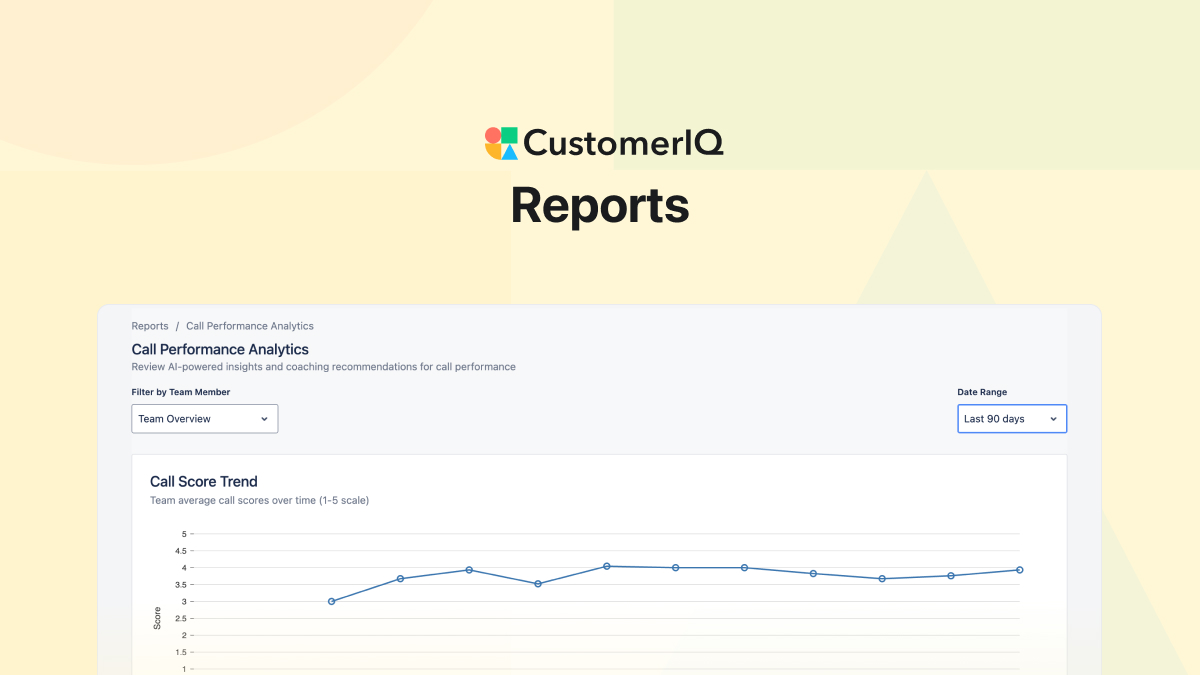
The Highlights tab is now Reports, where we've added two new analytics views: Call Performance Report and Daily Activity Report.
Call Performance Report
You can't listen to 200 calls across 8 reps every week, but CustomerIQ can. The Call Performance Report delivers a high-level view of exactly what needs your attention.
You need to know: who's struggling with discovery? Which calls should you use for training? What's our team's baseline quality? Is it improving?
Before, you'd have to manually review random calls or wait for reps to self-report issues. Now, the Call Performance Report aggregates AI coaching scores across your team to show overall performance, surfaces your top calls (like Sarah's demo that perfectly handled pricing objections), and flags calls that need coaching (like the three discovery calls where key qualification questions were missed). You can immediately identify coaching opportunities and share best practices without listening to hours of recordings.
Daily Activity Report
You're leading a service team and you notice response times slipping, but you're not sure why. Is the team overloaded? Are certain categories taking more time than expected?
The Daily Activity Report shows you exactly what's consuming your team's time: 47 document requests yesterday, 12 quote-review calls, 8 quarterly business reviews. You notice that "priority escalation" emails have tripled this week—something your management team needs to know about.
Instead of asking each team member for a status update, you have a real-time view of where effort is going and can proactively address bottlenecks.
How to Get Started with Reports
- Sign in to CustomerIQ
- Click on the Reports tab in your navigation (previously Highlights)
- Select either Call Performance or Daily Activity from the report dropdown
- Use the date range and team filters to customize your view
- Click into any call or activity to see the full details
Other Fixes & Improvements
- Fixed error when creating new contacts
- Added CRM property filters to views (filter by deal stage, owner, account type, or any custom CRM field)
- Fixed Outlook signature formatting in automated drafts